⌘Code
WallMaster
Build Walls Easier in Minecraft
WallMaster is a mod for a modded Minecraft server that allows players to build structures in survival mode with a ghost preview feature. It is developed using Java 21 and NeoForge.
A survival-friendly Minecraft mod for building walls, floors, and solid volumes with a live ghost preview. Pick two corners, inspect the blueprint, build from your own inventory.
I host a modded Minecraft server for a small group of friends running All the Mods 10, and we decided to build a city, with skyscrapers, streets, and a skyline. If you've ever tried building a glass high-rise one block at a time, you know the problem: it's a grind.
I looked at the existing builder mods, couldn't find one that felt right for survival...most either required creative mode, gave you too much power, or skipped the preview step entirely. So I built WallMaster.
The Problem
Placing the outer shell of a 30-story glass skyscraper in survival mode means hundreds of individual block placements, each requiring you to stand in exactly the right spot. It also means constantly checking your inventory count, backtracking to fix misaligned rows, and accidentally placing blocks in the wrong plane.
The game has no built-in way to preview what a wall will look like before you commit your materials to it. Every other tool that solves this either bypasses survival constraints or requires a mod loader's admin editor. Neither of which fit what we were doing.
What It Does
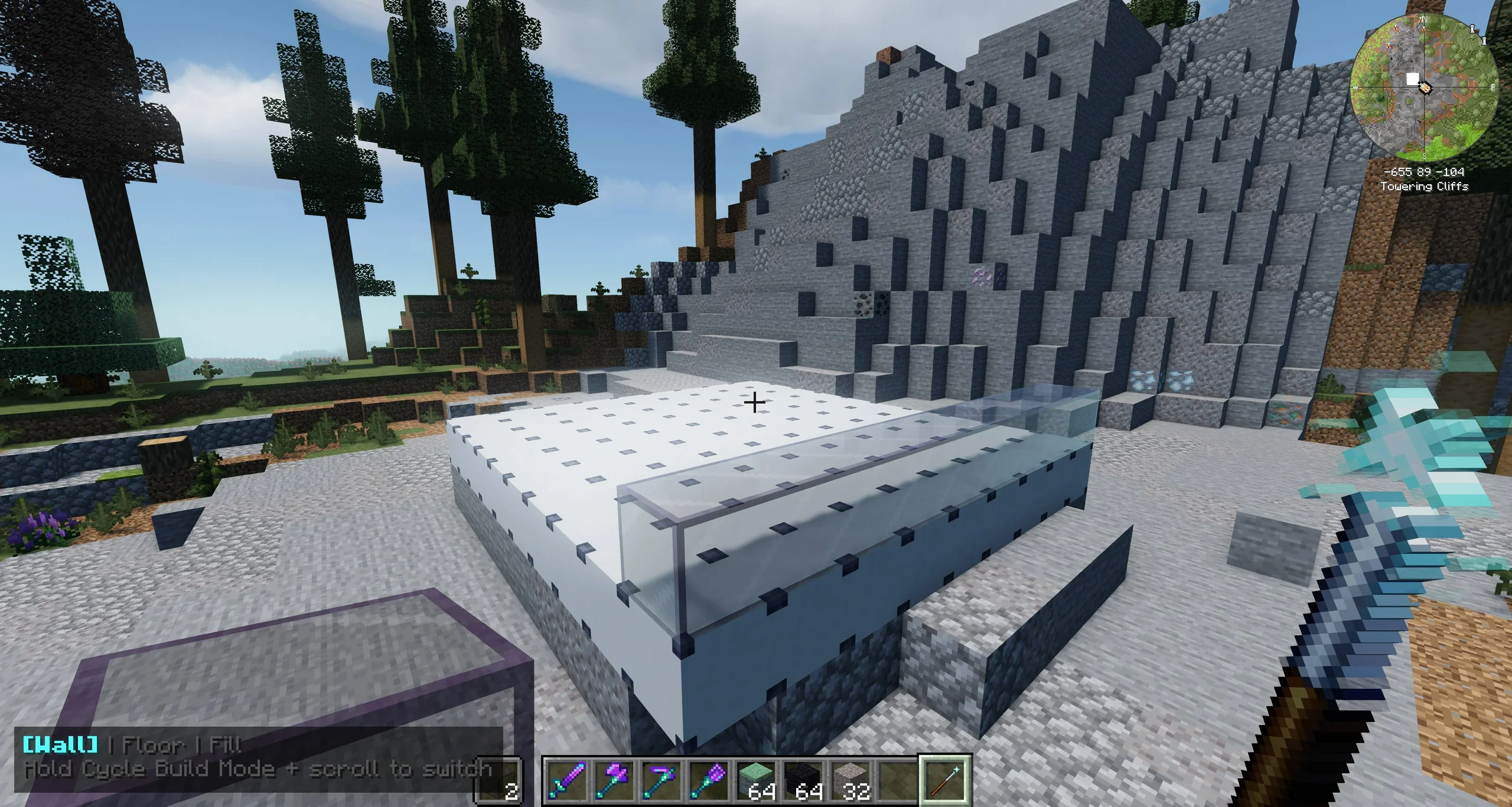
Builder's Wand — pick two corners, see a live ghost of the entire wall before placing a single block
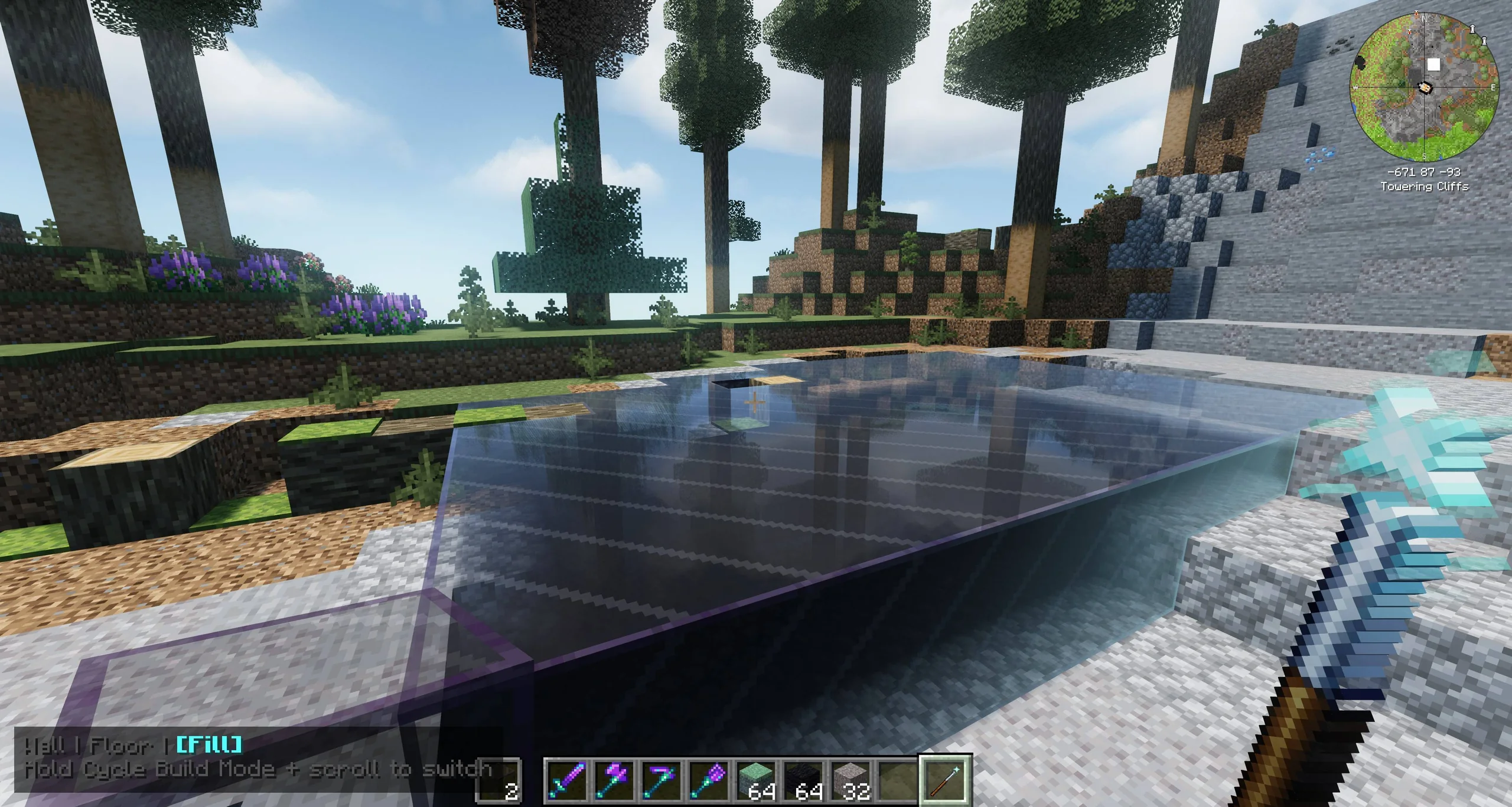
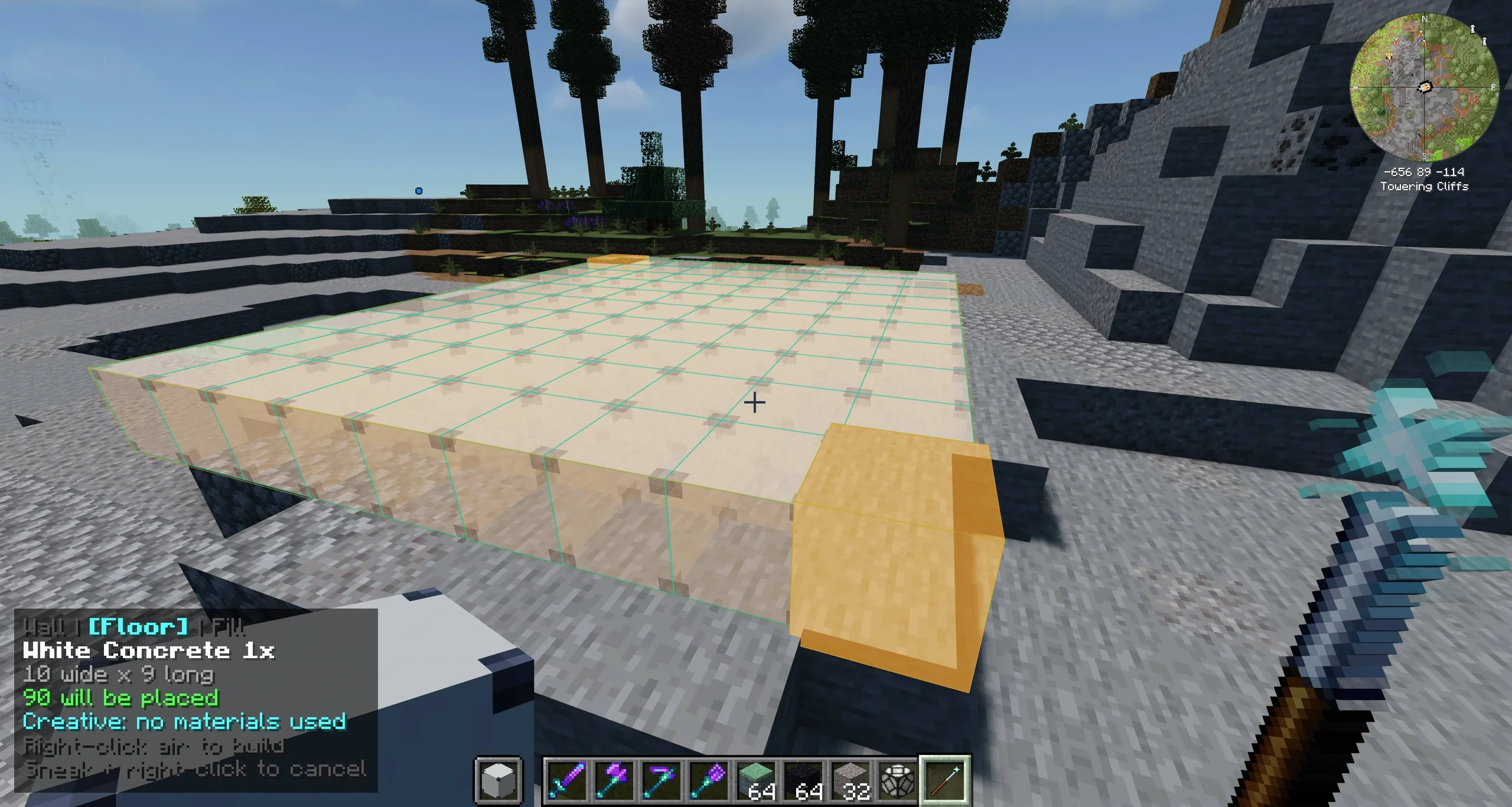
Five build modes: Wall, Floor, Fill, Template, and Delete — cycled with Left Alt + scroll
Template Mode — capture an existing arrangement of blocks and repeat it across a target volume
Delete Mode — conservative excavation with no item drops, protected block tags, and full claim checks
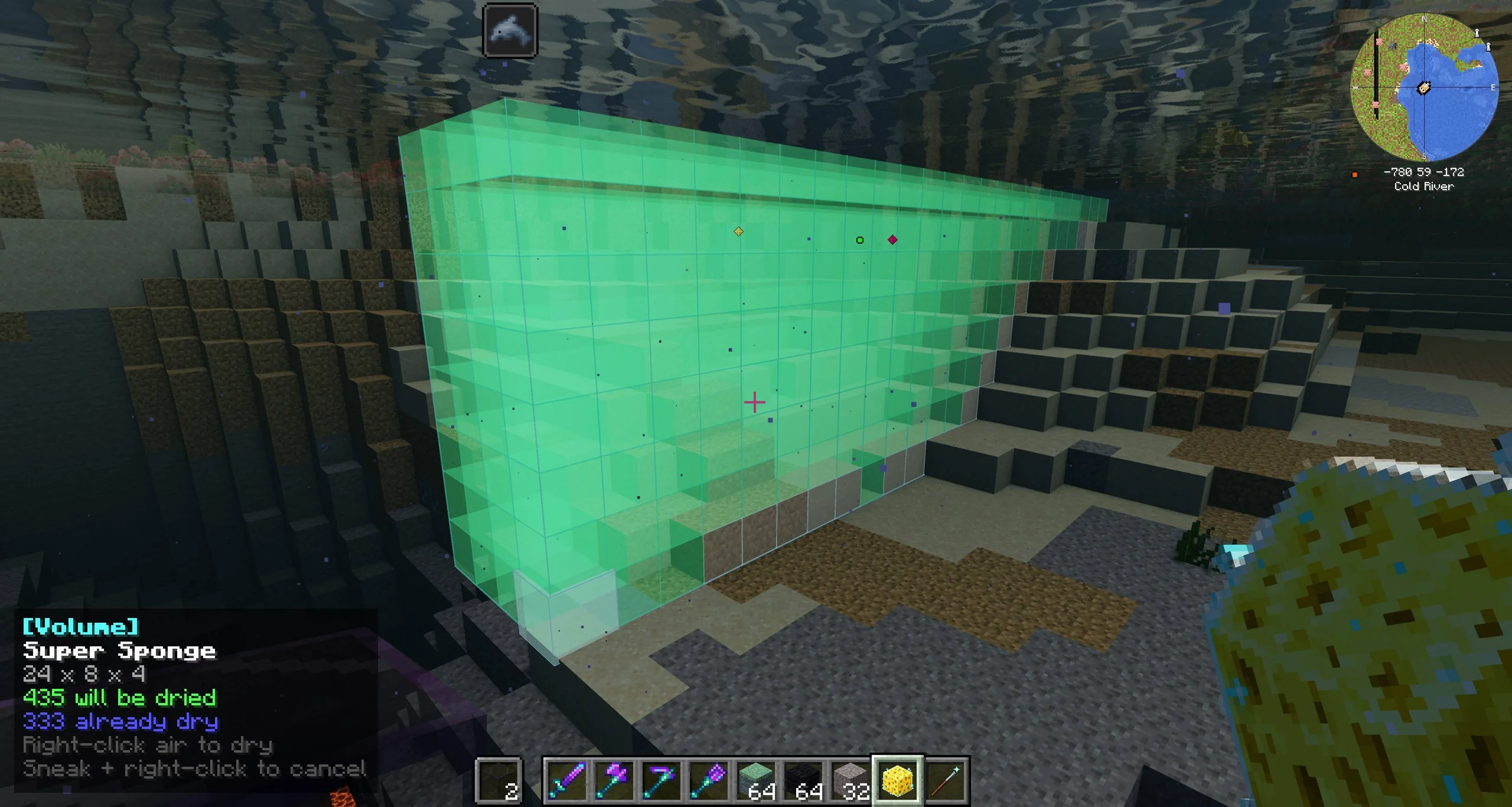
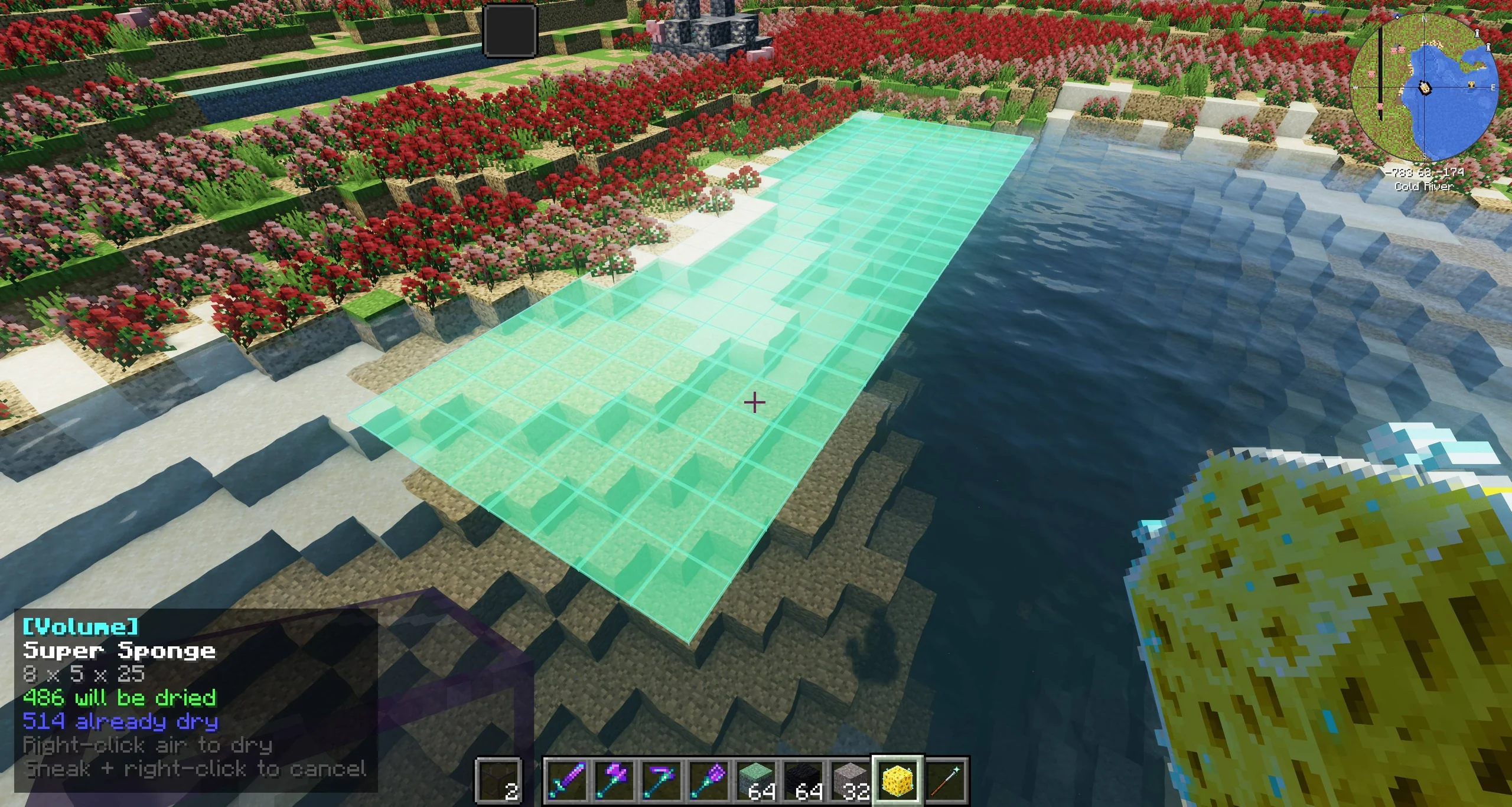
Super Sponge — clear a bounded volume of water in seconds instead of placing dozens of vanilla sponges
Inventory-aware — survival mode counts your materials and consumes them atomically; failed builds cost nothing
Entity safety — cells overlapping a living mob or player are always skipped
Server-authoritative — the full plan is rebuilt and revalidated at confirmation, so the client can't cheat
Slab, glass, and carpet compatibility — including ATM10's Cloud Glass and Eternal Starlight Yeti Fur Carpets
Configurable limits, safety settings, and material blacklists on both client and server
0.4.0-beta.1
Current Version
MC 1.21.1 / NeoForge
Platform
5
Build Modes
512
Max Blocks / Build
How It Works
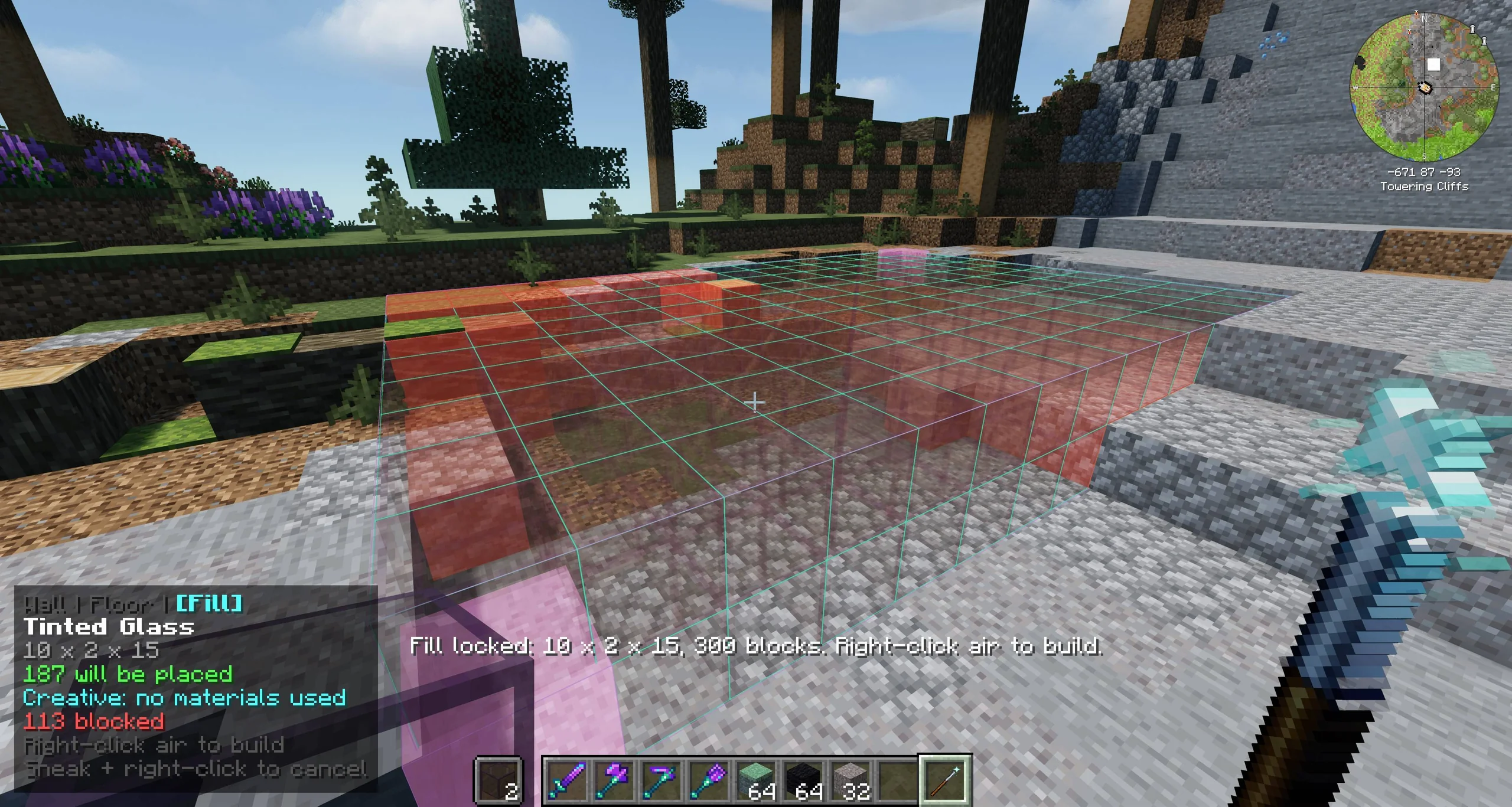
The core interaction is deliberately minimal. Hold the material in your offhand, right-click a block face to set the first corner, aim around to size the ghost, right-click again to lock the far corner, then right-click air to build. The ghost follows your crosshair the whole time, with per-cell colour coding that tells you exactly what will be placed, what's blocked, what you can't afford, and what's already correct.
The preview is purely client-side — no packets are sent while you're aiming. When you confirm, the full plan is rebuilt server-side, all cells are re-validated, and materials are counted and spent atomically. A failed build costs nothing; you can't be short-changed by a race condition.
Crafting
Builder's Wand recipe
1
[ ] [ ] [Fe]2
[ ] [Rs] [Fe]3
[/] [ ] [ ]4
5
Fe = any iron ingot (c:ingots/iron — modded iron works)6
Rs = redstone dust7
/ = stick8
9
512 durability · 1 durability per successful build or Delete
Super Sponge recipe
1
[ ] [Fe] [ ]2
[Fe] [Sp] [Fe]3
[ ] [Rs] [ ]4
5
Fe = any iron ingot · Sp = sponge · Rs = redstone dust6
7
256 durability · 1 durability per successful dry
Preview Colours
**Teal** — Will be placed, you can afford it **Amber** — Would be placed, not enough blocks **Red** — Something solid is in the way; skipped **Light blue** — Already the right block; free
**Purple** — A mob or player is there; skipped **Bright red** — Out of world height or unloaded chunk **Orange-red** (Delete) — Will be permanently removed **Magenta** (Delete) — Protected; left untouched
Under the Hood
The mod is a standard NeoForge mod written in Java 21, split so the dedicated server never loads anything under client/. The Builder's Wand state (selection corners, build mode, template palette, slab half) is stored on the ItemStack as a data component, so it survives logout, inventory moves, and being dropped and picked up.
Material safety uses a closed-world approach: only plain full cubes, standard slabs, approved glass blocks, and approved standard carpets are accepted. Everything else fails closed — unknown modded blocks are rejected rather than allowed through. Pack authors can extend the allowed set through four public additive datapack tags (wallmaster:non_full_cube_materials, wallmaster:block_entity_materials, wallmaster:carpet_materials, wallmaster:delete_protected).
The server config is synced to clients on join so the ghost preview respects the same limits the server will enforce. A mismatched client simply cannot use the wand.
Project layout
1
src/main/java/com/omnislash/wallmaster/2
├── WallMasterMod.java common entrypoint3
├── registry/ items, data components, creative tab4
├── item/ BuilderWandItem: the three interactions5
├── selection/ persistent wand selection state6
├── building/ geometry, classification, validation, placement7
├── inventory/ counting and spending material8
├── material/ what may be used as a wall block9
├── compat/ protection-mod hook10
├── config/ server and client specs11
├── networking/ payload registration12
└── client/ everything client-only, never loaded on server
Version History
0.1.0 — First release: Builder's Wand with Wall mode, live ghost preview, and server-authoritative building. | 0.2.0 — Floor / Fill modes, Super Sponge, advancements, and mode carousel HUD. | 0.3.x — Slab, glass, carpet compatibility (ATM10 + Glassential + Rechiseled); Template Mode; Delete Mode preview added. | 0.4.0-beta.1 — Delete Mode: conservative excavation with no drops, claim checks, and protected block tag.
Gallery
Mod Design & Development
Paul Melluzzo
Interested in this experiment?