◎AI
AI Video/Image Upscaler
CLI Tool
A Python CLI tool that upscales videos and images using AI super-resolution models with optional audio preservation, and exports to H.264, H.265, ProRes 422/4444.
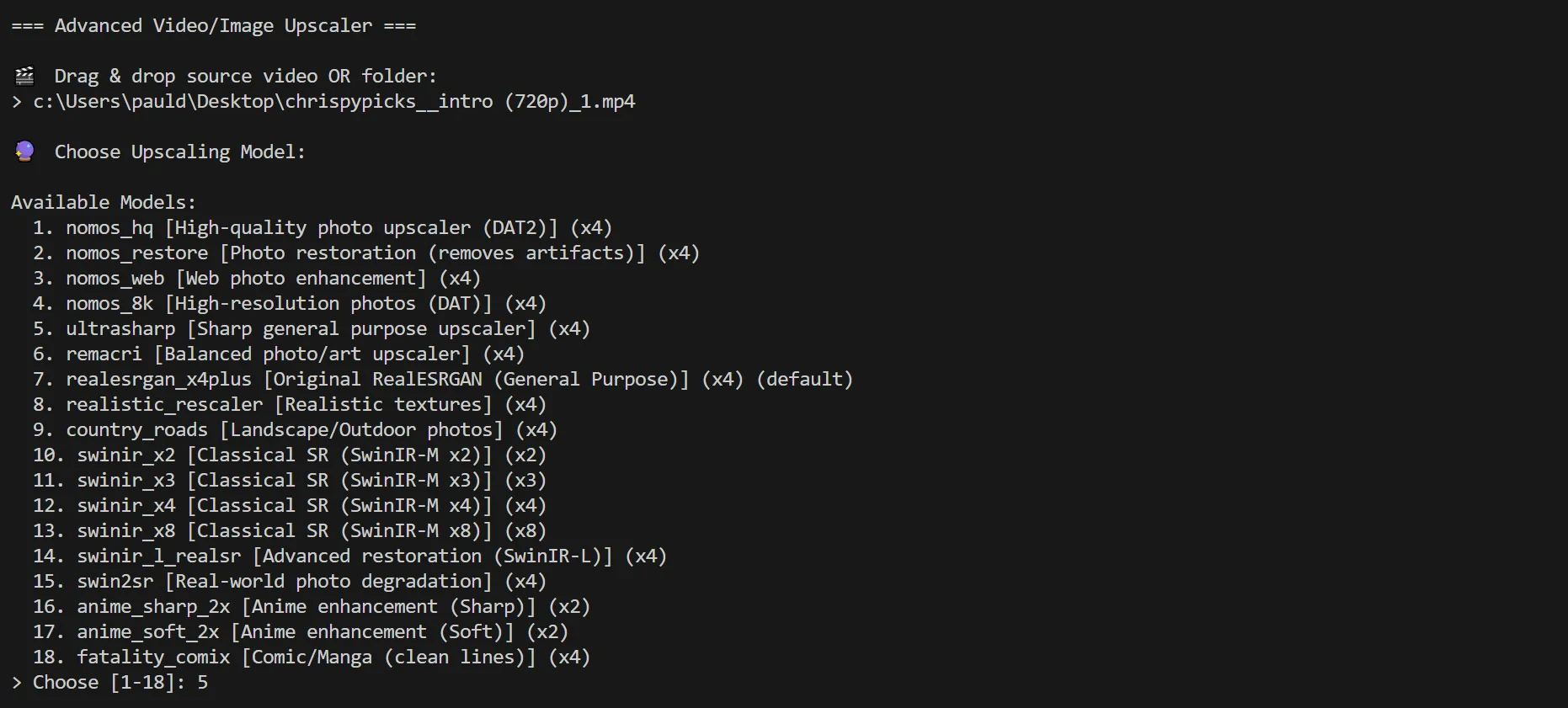
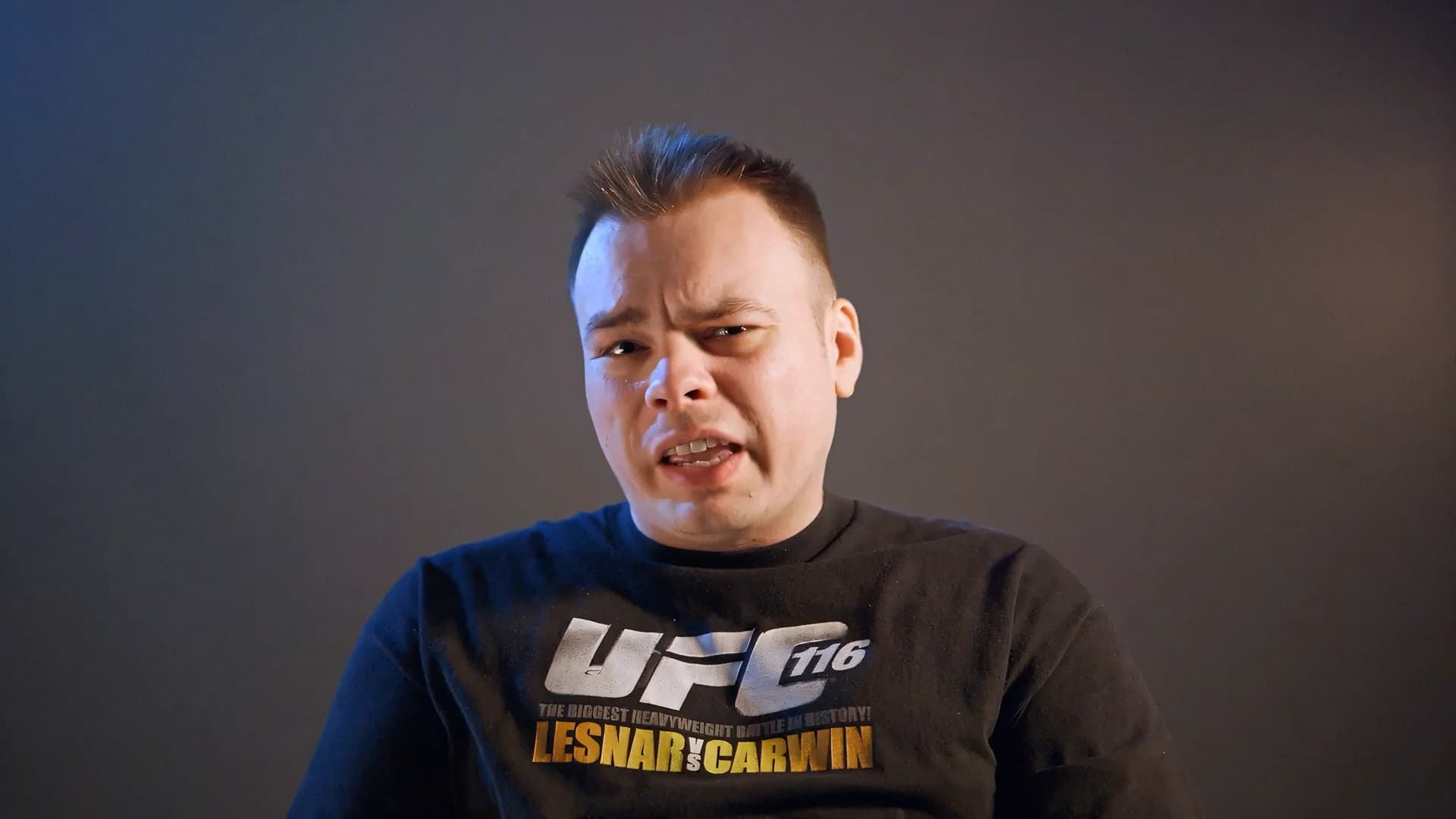
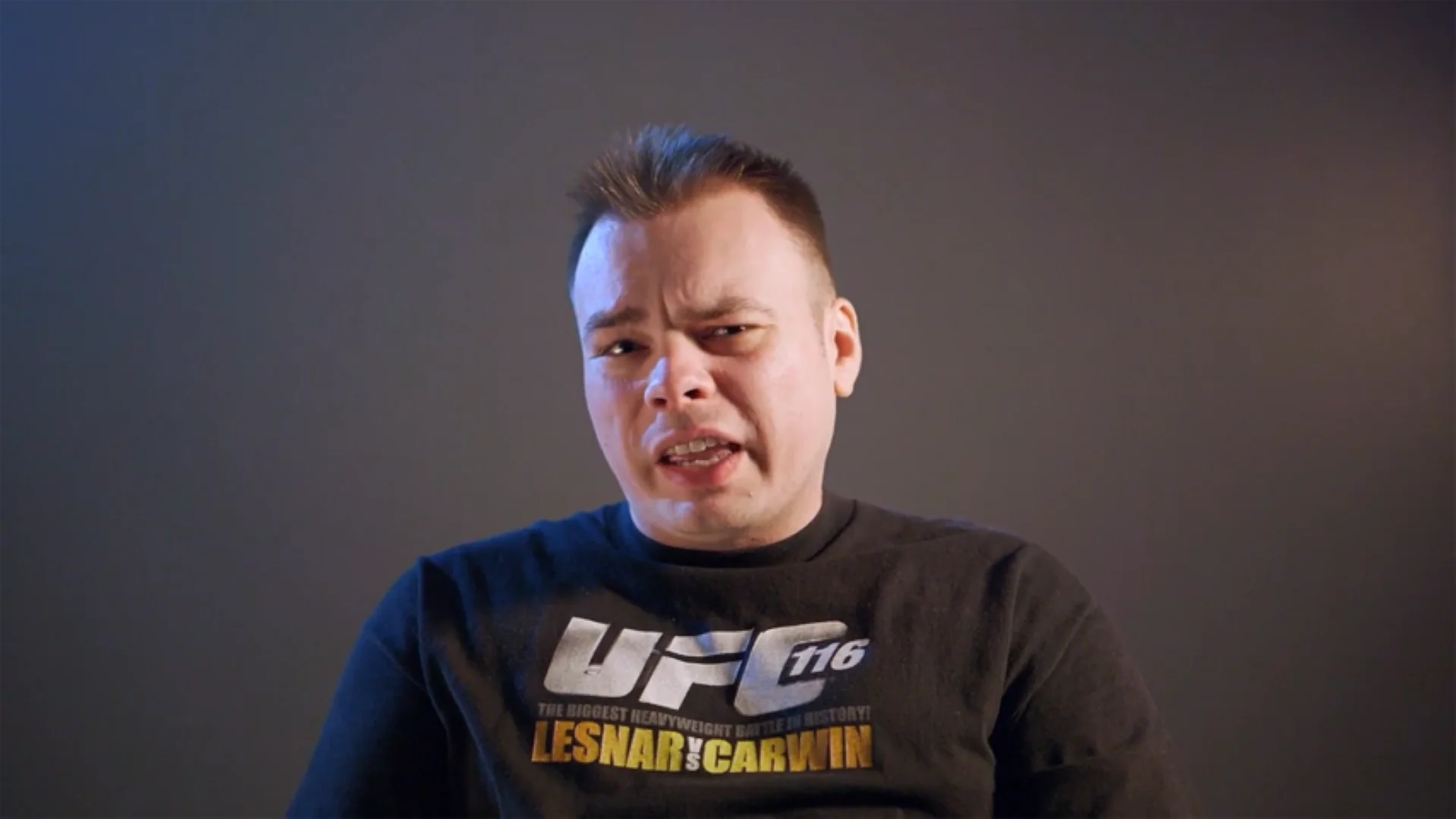
Before
After
720P to 4K
CLI Flags or Interactive “Wizard” Mode
If you provide --input, it runs in normal CLI mode. If you don’t, it launches a guided prompt flow where you drag-drop a file/folder and choose settings.
1
def main():2
ap = argparse.ArgumentParser(...)3
ap.add_argument("-i","--input", help="Input file or folder")4
ap.add_argument("--model", choices=list(MODELS.keys()))5
ap.add_argument("--preset", choices=list(SUPPORTED.keys()), default="h264")6
ap.add_argument("--target", choices=list(TARGETS.keys()))7
ap.add_argument("--nearest", action="store_true")8
ap.add_argument("--min-resolution", type=int, default=0)9
10
args = ap.parse_args()11
12
if not args.input:13
p, model, preset, target_h, min_res, use_nearest, img_ext = interactive_collect()14
scan_and_process(p, model, preset, target_h, min_res, use_nearest, img_ext)15
return
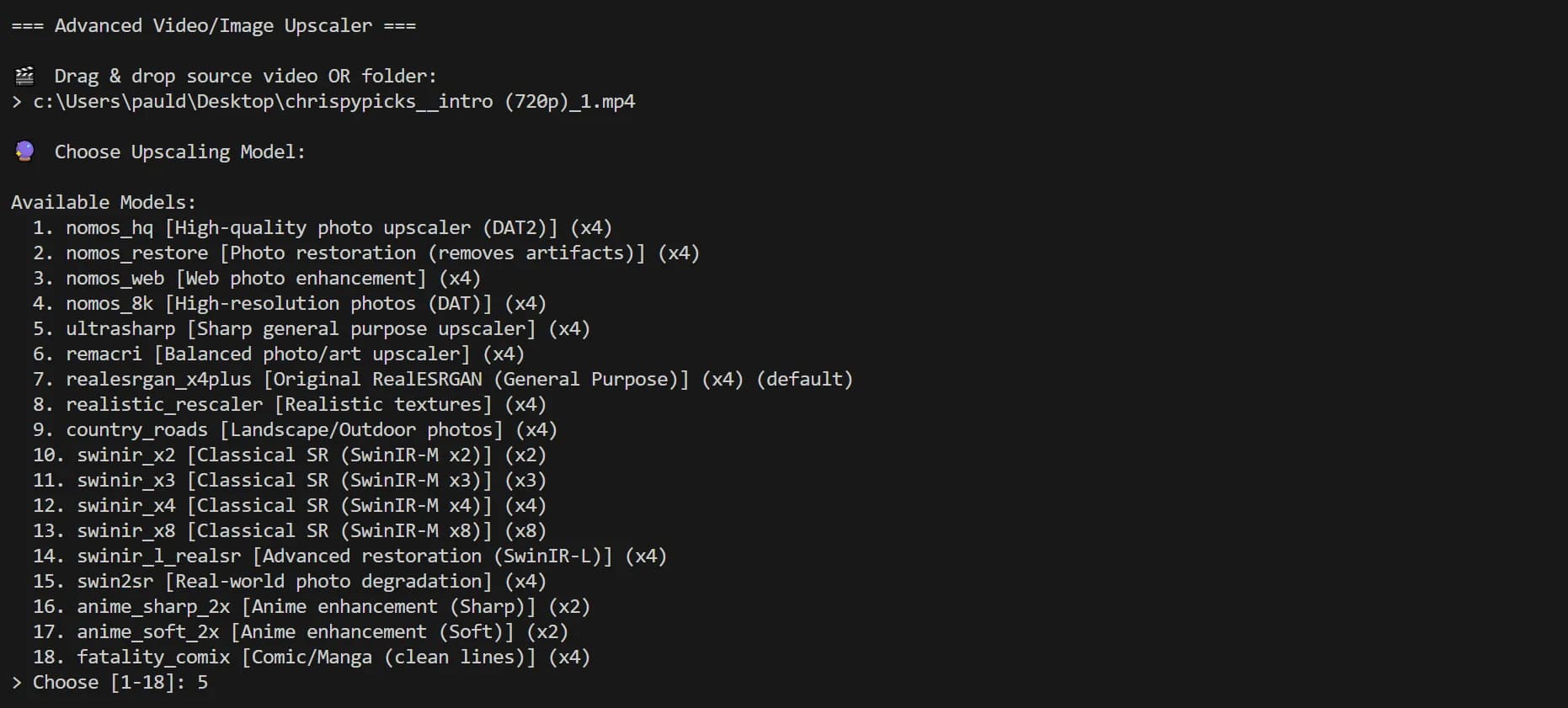
Model Selection Menu
Smart Input Handling: Single File or Recursive Folder Batch
The tool accepts either a single path or a folder. If it’s a folder, it recursively scans and collects supported media.
1
files = []2
if path.is_file():3
files.append(path)4
else:5
for root, _, fnames in os.walk(path):6
for fname in fnames:7
fpath = Path(root) / fname8
if fpath.suffix.lower() in [".mp4",".mov",".mkv",".avi",".png",".jpg",".jpeg",".webp",".bmp"]:9
files.append(fpath)
Resolution Targeting: Fixed, Nearest Standard, or Native Model Scale
This is one of the best “portfolio” features: the script supports three resolution strategies:
- Fixed targets (720p / 1080p / 2K / 4K / 8K)
- Nearest standard above input (720→1080, 1080→2160, etc.)
- Native model scale (x2/x4/x8 depending on model)
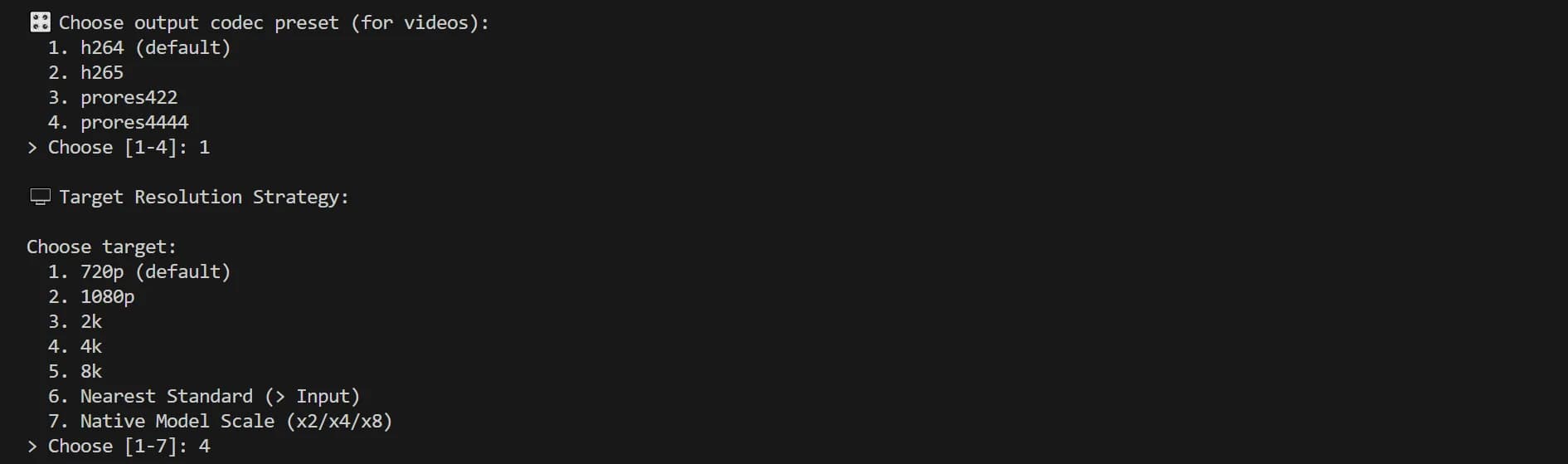
Output Formats and Resolutions
1
if use_nearest:2
target_standard = find_nearest_target(h)3
final_w, final_h = compute_target_size(w, h, target_standard)4
label = f"{final_h}p"5
elif target_h_arg > 0:6
final_w, final_h = compute_target_size(w, h, target_h_arg)7
label = f"{final_h}p"8
else:9
final_w, final_h = w * model_scale, h * model_scale10
label = f"x{model_scale}"
Conditional Upscaling
You can set a minimum input height threshold so the tool only upscales clips that are under a certain resolution.
1
if min_res_trigger > 0 and h >= min_res_trigger:2
print(f"Skipping: Height {h} >= Min Trigger {min_res_trigger}")3
continue
Video Metadata + Audio Detection
For videos, the tool inspects width/height/fps/framecount and checks whether audio exists so it can preserve it during re-encode.
1
w, h, fps, total_frames, _ = ffprobe_info(fpath)2
has_audio = ffprobe_has_audio(fpath)
Video Pipeline: Extract Frames, AI Enhance, Re-Encode
Videos are processed via a pipeline:
- ffmpeg extracts frames to a temp folder
- each frame is upscaled with sr.enhance()
- ffmpeg re-encodes them into a new video
- optional audio is mapped back in
1
extract_frames(src, tmp, total_frames)2
3
for f in frames:4
img = cv2.imread(str(f), cv2.IMREAD_UNCHANGED)5
up, _ = sr.enhance(img, outscale=scale)6
if target_h > 0 and up.shape[0] != target_h:7
up = cv2.resize(up, (target_w, target_h), interpolation=cv2.INTER_AREA)8
cv2.imwrite(str(f), up)9
10
encode_video(tmp/"f_%06d.png", fps, out_path, preset, total_frames,11
src_for_audio=src, keep_audio=keep_audio)
Codec Presets: H.264 / H.265 / ProRes 422 / ProRes 4444
For videos, preset selection maps to an ffmpeg argument table so exports are consistent and predictable.
1
SUPPORTED = {2
"h264": dict(ext=".mp4", ff=["-c:v","libx264","-crf","18","-pix_fmt","yuv420p"]),3
"h265": dict(ext=".mp4", ff=["-c:v","libx265","-crf","20","-pix_fmt","yuv420p"]),4
"prores422": dict(ext=".mov", ff=["-c:v","prores_ks","-profile:v","3","-pix_fmt","yuv422p10le"]),5
"prores4444": dict(ext=".mov", ff=["-c:v","prores_ks","-profile:v","4","-pix_fmt","yuva444p10le"]),6
}
RealESRGANer Initialization (GPU-Aware, Half Precision)
The enhancer runs with half precision automatically when CUDA is available (speed boost).
1
sr = RealESRGANer(2
scale=info["scale"],3
model_path=str(model_path),4
model=model,5
tile=0, tile_pad=10, pre_pad=0,6
half=torch.cuda.is_available(),7
)
Interested in this experiment?